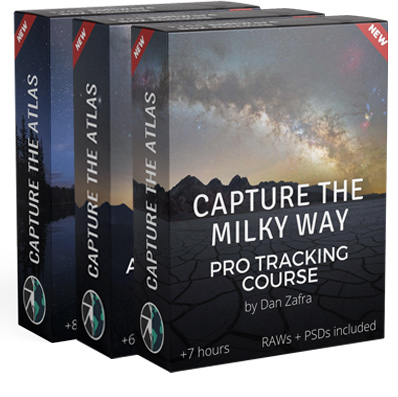
Milky Way Magic Adaptive Presets

Current Status
Not Enrolled
Price
$68.00
Get Started
This course is currently closed

If you want to transform your Milky Way images quickly and consistently, this is the perfect course for you.

The program follows an easy, step by step workflow where you’ll learn how to use the Milky Way Magic Adaptive Presets and Lightroom AI powered masks to enhance the sky, foreground, stars, color, contrast, and overall atmosphere of your images.

At the end of this course, you’ll be ready to edit your Milky Way photos with confidence and achieve polished, natural looking results in just a few minutes.

Main topics covered in this course:

Main EDITING techniques:

Other advantages

Unlimited Support

Lifetime access

RAW practice files

Access from any device

Dan is a professional landscape astrophotographer, educator, and co-founder of Capture the Atlas. His true calling is helping others unlock their creative potential and capture the beauty of the night sky. Whether through online tutorials, photography tours, or workshops, he's had the privilege of connecting with people from every corner of the globe and inspiring them to see the world through a different lens. Dan's work has been recognized by esteemed organizations such as NASA, National Geographic, and Forbes, and he was named the People’s Choice Winner of the 2022 Astronomy Photographer of the Year award. You can find more about Dan here.

This course includes:

  • 1 hour
  • Unlimited access
  • From any device
$ 68

Current Status
Not Enrolled
Price
$68.00
Get Started
This course is currently closed

Get the full Milky Way Course

3 Modules for $891

$399


Any questions about this course?

Ratings and Reviews

5.0
Avg. Rating
8 Ratings
5
8
4
0
3
0
2
0
1
0
What's your experience? We'd love to know!
Susan Winfree
Posted 6 days ago
The EASE now available to take imperfect lighting to new levels!

Huge confidence booster to complete and share images I've been holding back on. Can't wait to see how they turn out now!

×
Preview Image
David Hoffman
Posted 2 weeks ago
Great comprehensive videos about the presets

The presets and videos are exactly what I was looking for. Thanks

×
Preview Image
Peter Heinl
Posted 2 weeks ago
Easy Edition of Milky Way photos with Lightroom without Photshop, …

I am a beginner in the Field of astrophotography, I startet with a smart telescop last year and discovered the Milky Way photography on the side with a DSLR. After a weekend with the course and pictures, it was easy to achieve a better result from my own pictures. I had a little problem with the presets, but Dan had a solution for me within a few hours - Great support.

×
Preview Image
Terry Forrest
Posted 2 weeks ago
Simplify your Milky Way Processing!

This is a wonderful tool that greatly simplifies and speeds up the processing of Milky Way photos.

×
Preview Image
Mark Howenstein
Posted 2 weeks ago
Manual Masking and Minimal edits

Knowing how and when to manually manipulate the masks and the importance of little changes.

×
Preview Image
Fred Bailey
Posted 2 weeks ago
No more split screen to follow the process, it's all in the presets!

These presets are just what I needed to provide focus when following the editing process in Dan's courses. I no longer need to flip around printed guides or back and forth on split screens; just follow the presets! A highly recommended addition to the Capture the Milky Way courses.

×
Preview Image
Louise Bryant
Posted 2 weeks ago
Game changer for me!

Just finished watching the examples of how to use the presets - so easy to follow. These will save so much time in editing. Can't thank you enough for creating and sharing these. Now to go download them and start editing, so excited!! Even more excited to be able to use these when I return from the October NZ CTA Milky Way Tour - happy days : ) Thank You : )

×
Preview Image
Mark Guinn
Posted 2 weeks ago
Easy, Detailed, Organized process to do the adjustments to your MW images

These presets are very good to be able to process your images in an orderly way. Plus, the masking and the use of the sliders for the individual presets is really helpful. Like Dan says in his tutorials, go from one to the next in a careful and subtle way and the image transforms on your screen from ordinary to amazing. It is only up to you to properly capture the scene with your camera.

×
Preview Image
Show more reviews
What's your experience? We'd love to know!